
MODULE 01 · FREE + PAID
CtrlZone Cafe Management
Front desk software for esports centers and iCafes. Station and session tracking, member management, front desk and shift control run from a single screen.
- LICENSE
- Per branch, core edition free
- RUNS ON
- Windows 10 / 11, local server included
- DATA
- Stays on your venue’s computer
What it does
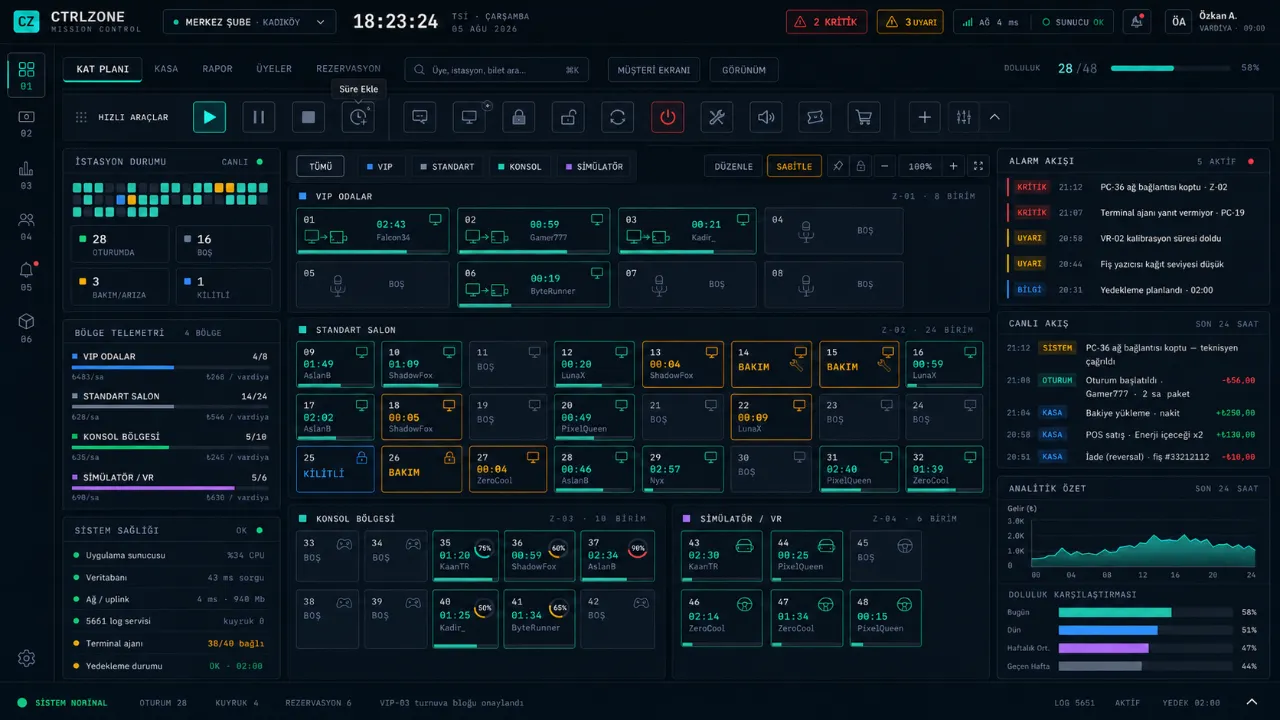
- Floor PlanStations are grouped into zones; each station’s time, user and status can be seen at a glance.
- Session ManagementStandard, timed, package and overnight package sessions; breaks, station changes and adding time are supported.
- MembershipBalance, bonus, points and tier management. Members sign in from their own station.
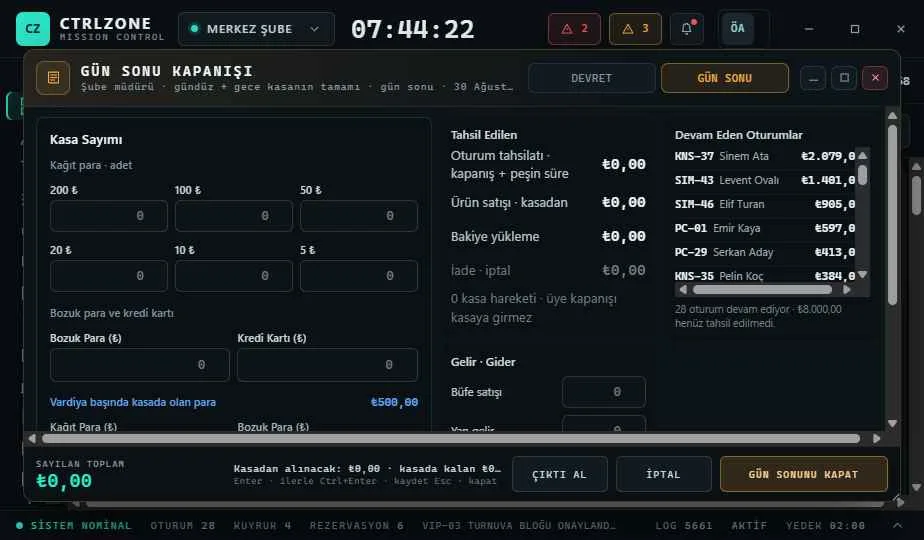
- Front Desk and ShiftsShift handover, end-of-day closing and cash book. Receipt, screen and report always show the same amount.
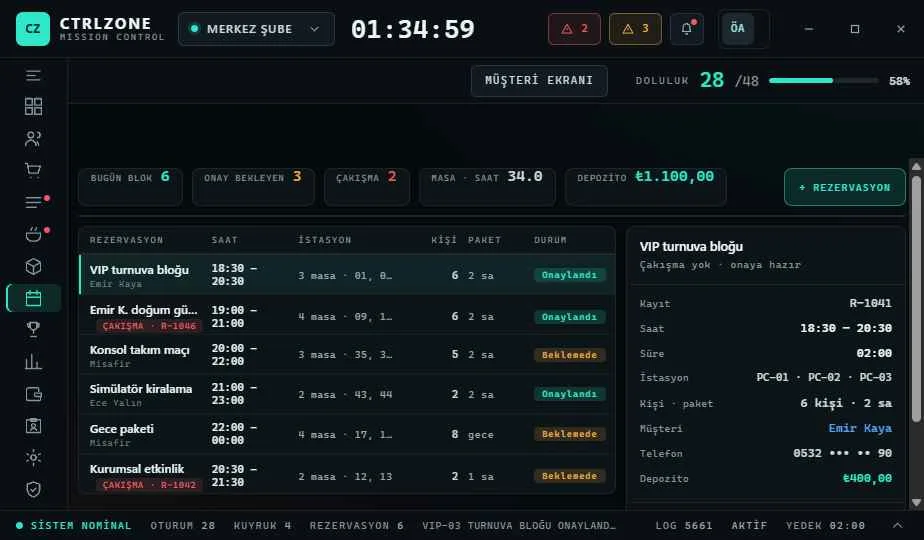
- ReservationsStation blocks, deposits and conflict warnings.
- Snack Bar and StockProduct sales and stock tracking. POS terminal integration is offered as a paid module.


Set up in three steps
- Step 1Download the Setup Assistant to the front desk computer and choose Main Register.
- Step 2Enter your license key; the assistant downloads, verifies and installs the latest version.
- Step 3Install CtrlZone Client on the PCs and build your floor plan.
// LICENSE
The core edition is free with no time limit. POS terminal integration, the mobile app and cloud backup are paid modules; the price for your branch is shown on the License screen in the app.
CtrlZone Setup AssistantSystem: Windows 10 / 11 · 64-bitSize: 2.4 MBRole: Main Register (front desk computer)DOWNLOAD · COMING SOON